
Until now there was one way to get a poll in front of people: copy the link and paste it somewhere. That works, but it leaves you guessing. You don't know who has seen it, and chasing the people who haven't responded means keeping your own list on the side.
You can now invite people by email from the poll page. Open the Share dialog, enter an address and press Send invite. Each person gets an email with their own link to the poll.
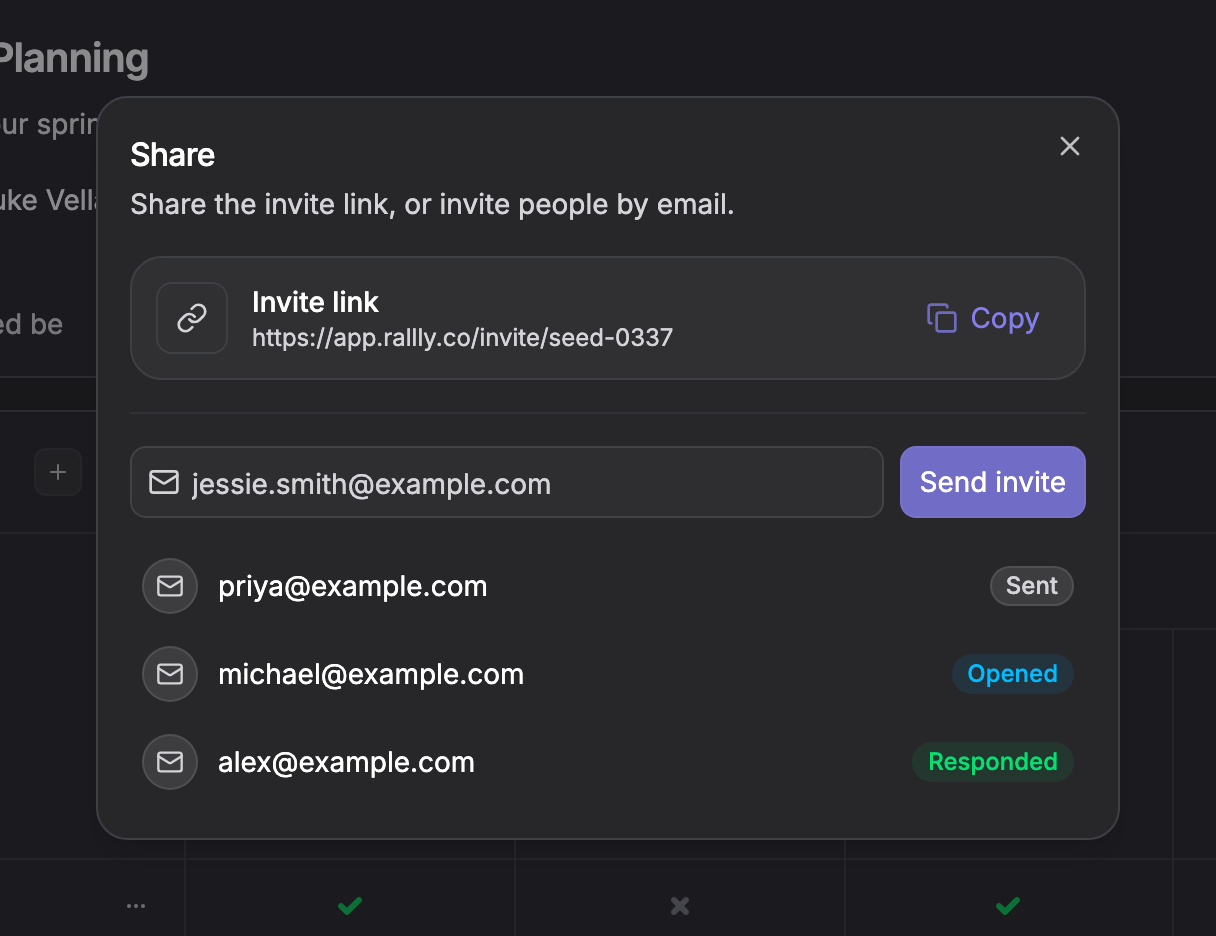
Everyone you invite shows up in the dialog with their current status. Sent means the email went out. Opened means they clicked the link. Responded means they submitted their availability. You can see at a glance who still needs a nudge.
The invite link is still there and still free. Email invites are part of Rallly Pro, so if you already have a Pro subscription or belong to a Pro space, it's on your polls now. You'll need to be signed in to send invites, since they and the responses they bring in are tied to your account rather than to the browser you happen to be using.
This is the first step towards making Rallly better at the part of scheduling that happens after you create the poll. Reminders for people who haven't responded are next.
As always, if you have feedback or run into anything, I'd love to hear from you at feedback@rallly.co.